Memcached is a lightweight in-memory cache for small pieces of data, such as database query results, rendered page fragments and API responses. Your application stores a value under a key and reads it back later instead of repeating the expensive work. It is simple and fast, but it keeps data only in memory, so everything is lost when it restarts.
Getting here: Servers → select a server → Packages. Memcached is in the Caching category.
1. When to Use Memcached
- You want a simple, fast object cache.
- Your application or CMS supports Memcached, as many PHP frameworks and WordPress cache plugins do.
- You do not need cached data to survive a restart.
If you also need sessions that survive a restart, queues, or more data types, use Redis instead.
2. Install Memcached
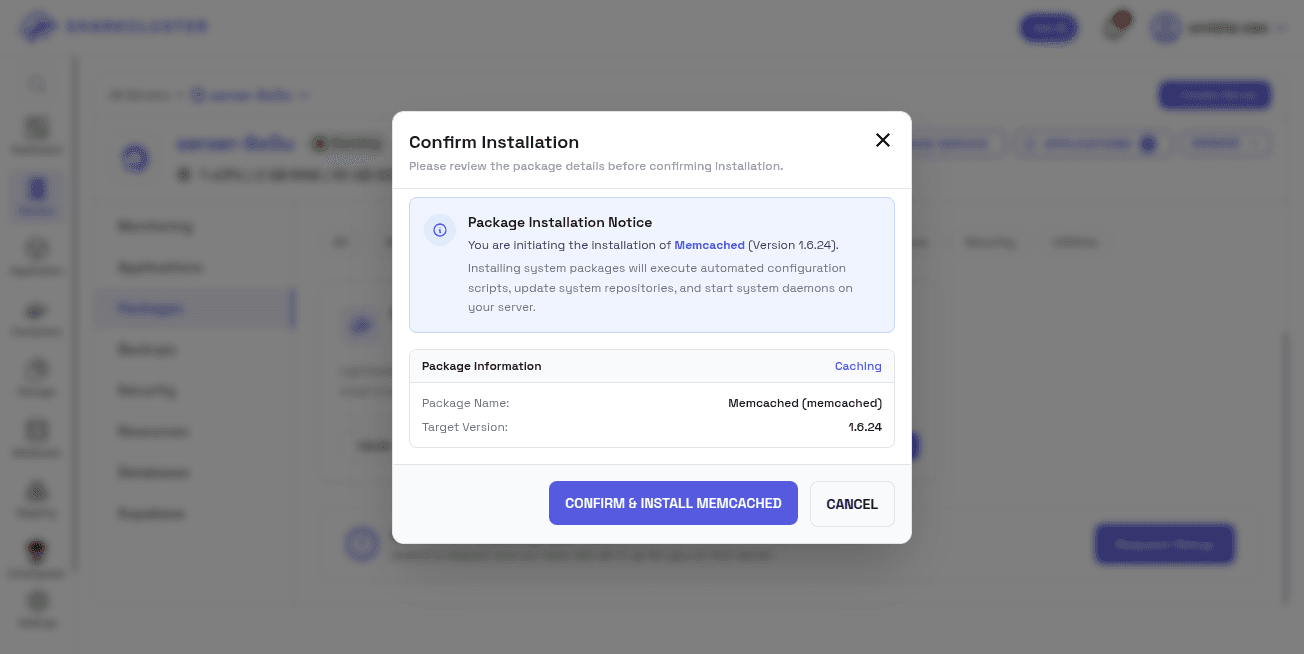
- 1Open Packages and select the Browse tab.
- 2Select the Caching filter, or search for
memcached. - 3Click Install on Memcached and confirm.
- 4Wait for the success message. Memcached then appears on the Installed tab with its version, port and status. If it does not, click Sync Packages.
Memcached is installed from the Ubuntu package repositories, so you get the version that ships with the server's Ubuntu release. The command-line tools (memcstat, memcflush) are installed with it, and the service starts automatically when the server boots.
By default Memcached listens on port 11211 on the server itself (127.0.0.1) with a 64 MB memory limit. Applications on the same server can use it straight away; it is not reachable from the internet.
3. Connect Your Application
| Setting | Value |
|---|---|
| Host | 127.0.0.1 (application on the same server) |
| Port | 11211 |
| Authentication | None |
Your application also needs a Memcached client. Installing the Memcached server alone does not make an application use it.
PHP Applications
- 1On the Installed tab, open Details & Config for PHP.
- 2Under PHP Extensions, enter
memcachedand install it. - 3Configure your application to use Memcached, for example
CACHE_DRIVER=memcachedin a Laravel.envfile, or enable Memcached in your WordPress cache plugin.
To check Memcached is running and being used, open the web console from Security → Access and run memcstat --servers=127.0.0.1. The hit and miss counts rise as your application uses the cache.
4. Manage Memcached
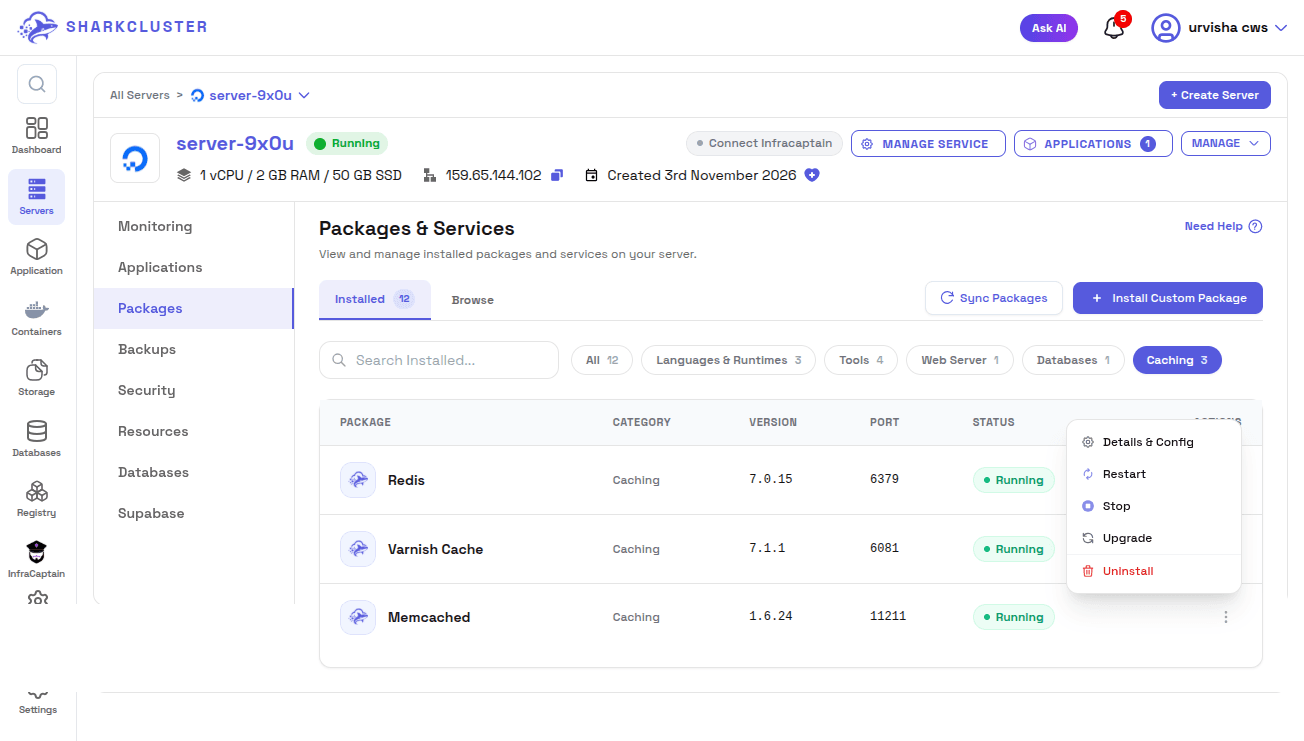
On the Installed tab, open the menu next to Memcached:
| Action | What it does |
|---|---|
| Details & Config | Shows Memcached's settings and logs, and lets you change the editable settings. |
| Restart | Restarts the service. All cached data is cleared. |
| Stop / Start | Stops or starts the service. Applications fall back to doing the work themselves, or fail if they require the cache. |
| Upgrade | Upgrades Memcached to another available version, where one is offered. |
| Uninstall | Removes Memcached and its configuration file. Applications configured to use it will report cache errors. |
5. Memcached Settings
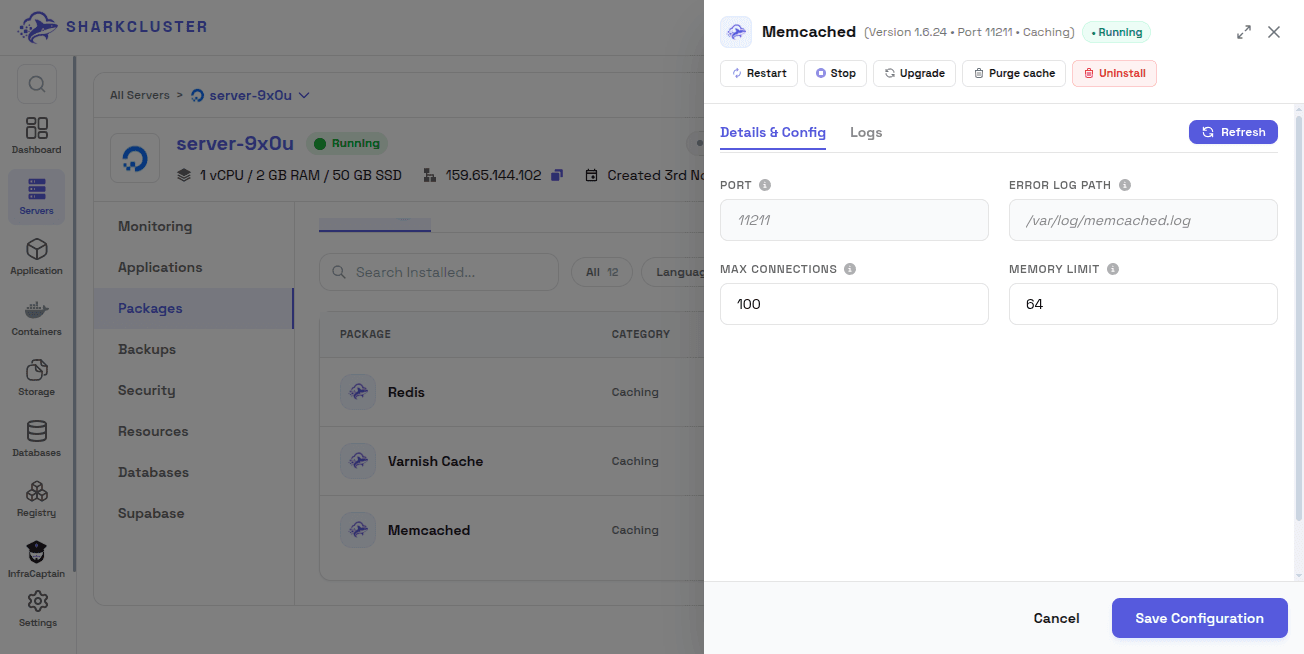
Details & Config shows these settings:
| Setting | Editable | What it controls |
|---|---|---|
| Port | No | The port Memcached listens on (default 11211). |
| Max Connections | Yes | The maximum number of simultaneous connections (the -c option, default 1024). |
| Memory Limit | Yes | The maximum memory Memcached may use, in megabytes (the -m option, default 64). |
| Error Log Path | No | Where Memcached writes its log. |
Saving writes the values to /etc/memcached.conf and restarts Memcached, which clears the cache.
Set the memory limit so that Memcached, your application and your database all fit in the server's RAM. When the limit is reached, Memcached removes the least recently used entries to make room, which is normal.
6. Logs
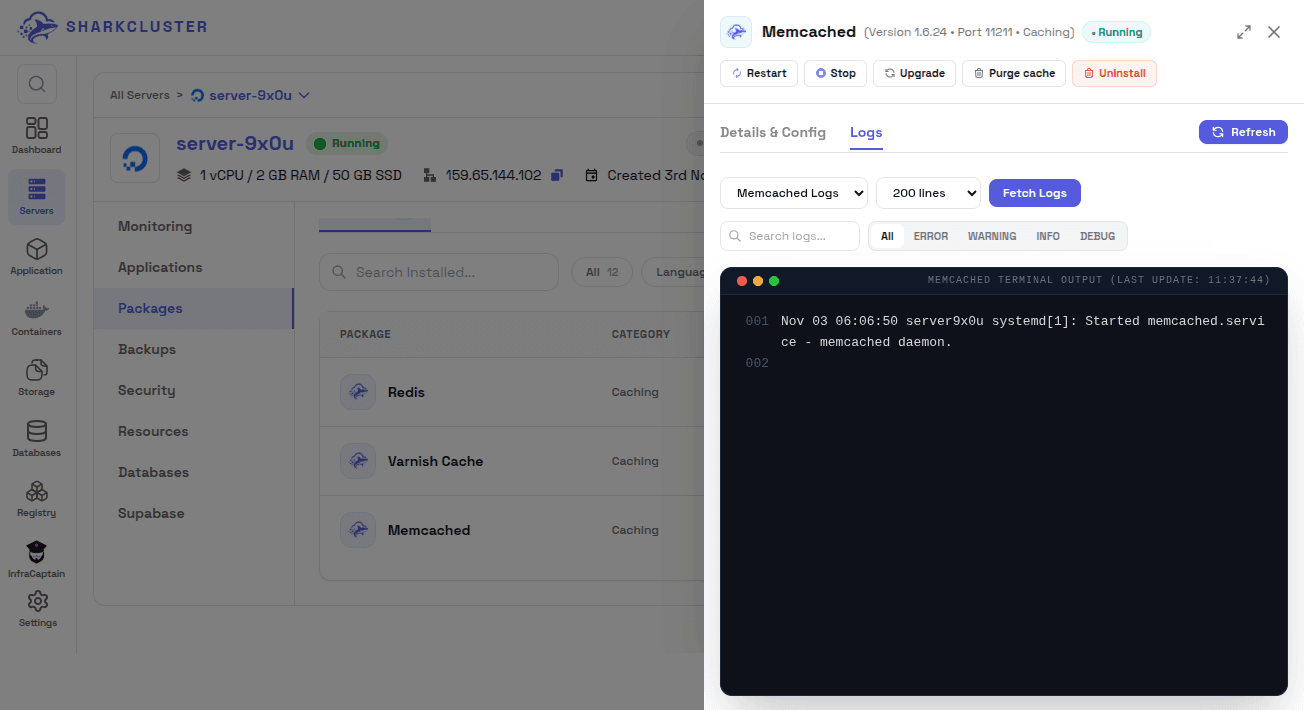
Open Details & Config → Logs and choose Memcached Logs or Systemd Logs (service start, stop and crash messages). Choose how many lines to show, click Fetch Logs, and use the filter box to find specific entries.
7. Clearing the Cache
To clear everything in Memcached without restarting it, run memcflush --servers=127.0.0.1 in the web console. Restarting Memcached from the Packages menu also clears it. Many applications can also clear their own cache, for example php artisan cache:clear in Laravel.
8. Best Practices
- Keep Memcached bound to `127.0.0.1`. It has no authentication, and an exposed instance can be read, wiped or abused for attacks.
- Do not open port 11211 in Security → Firewall. If another server really must connect, allow only that server's IP address.
- Treat the data as disposable. Your application must still work when the cache is empty.
- Give it a fixed memory limit that leaves room for your application and database.
- Check the hit rate with
memcstat. A low hit rate means the cache is too small or not being used effectively.
9. Troubleshooting
| Problem | What to check |
|---|---|
| Application cannot connect | Check Memcached is running on the Installed tab, that the application uses 127.0.0.1 and port 11211, and that the PHP memcached extension is installed. |
| Cache empties unexpectedly | A restart, a settings change or the memory limit being reached removes entries. This is normal; raise Memory Limit if it happens often. |
| No speed improvement | The application is not configured to use Memcached. Check its cache settings and the hit count in memcstat. |
| Max Connections does not change | Uncomment the -c line in /etc/memcached.conf, then save again. |
| Server memory is high | Lower Memory Limit, or upgrade the plan from Resources. |
| Not in the Installed list | Click Sync Packages. |
Frequently asked questions
How does a PHP application connect to Memcached?
Install the memcached extension under PHP Extensions in PHP's Details & Config, then point the application at 127.0.0.1 port 11211, for example CACHE_DRIVER=memcached in a Laravel .env file.
Is it safe to open Memcached to other servers?
Keep Memcached bound to 127.0.0.1, because it has no authentication. Do not open port 11211 in the firewall; if another server must connect, allow only that server's IP address.
How do I clear the Memcached cache?
Run memcflush --servers=127.0.0.1 in the web console to clear it without a restart. Restarting Memcached from the Packages menu also clears it.
What is Memcached used for on SharkCluster?
Memcached is a lightweight in-memory cache for small pieces of data, such as database query results, rendered page fragments and API responses. Use it when you want a simple object cache and the data does not need to survive a restart.
Related guides
Something here not matching what you see in the panel?